On-Page SEO: A Complete Guide for 2026
On-page SEO is everything you can edit on the page itself to help it perform in search: the visible content, the HTML tags that describe the page, the address it lives at, and the links and images it contains. For a beginner it is the highest-leverage part of SEO, because it needs nobody's permission — you change the page, and the change counts.
Part 2 of 12 in the HighSEOTools SEO learning path.
First, watch a search engine read a page
Search engines find pages by crawling: a program (a crawler, or "spider") downloads your page's HTML and follows the links it finds there to more pages. What the crawler reads is stored in the index — the giant database Google consults when someone searches. The page of results the searcher then sees is the SERP (search engine results page), and your page's entry on it — the clickable headline plus the short grey description under it — is your snippet.
The crucial point: a crawler does not admire your design. It reads raw HTML — a title tag here, a heading there, link anchors, image descriptions. Our free Spider Simulator shows you that exact view of any public page. We pointed it at Wikipedia's article on search engine optimization, and this is the true output (checked 2026-07-17):
| What the crawler read | Value |
|---|---|
| Title | Search engine optimization - Wikipedia |
| Meta description | (missing) |
| Canonical | https://en.wikipedia.org/wiki/Search_engine_optimization |
| Robots | max-image-preview:standard |
| Indexable | Yes |
| Words seen | 6,072 |
| Headings | 17 (one H1: "Search engine optimization", then H2s like "History" and "Methods" with H3s beneath) |
| Links | 466 internal / 232 external |
Every row in that readout is an on-page factor, and this guide works through them roughly in the order a crawler meets them: the head tags, the URL, the headings, the body text, the internal links, and the images. Notice that even Wikipedia leaves the meta description blank — we'll come back to what that means.
The title tag: your headline in the results
The title tag is a line of HTML in the page's <head> section (<title>Your headline</title>). It shows in the browser tab, and Google usually uses it as the clickable headline of your snippet. It is also one of the clearest on-page relevance signals you control, so it deserves more care than any other single line on the page:
- Make it unique. Every page gets its own title; duplicated titles make pages compete with and blur each other.
- Keep it under roughly 60 characters. Longer titles tend to get cut off in the results. (Google actually truncates by pixel width, not character count, so 60 is a guideline, not a law.)
- Put the main topic near the front, phrased the way a searcher would phrase it.
- Write it to earn the click. Specific beats clever: a concrete benefit or number outperforms vague branding.
Google sometimes rewrites titles it considers unhelpful, so a good title is also self-defence: give it nothing to fix. To see how a draft would look before you publish, type your title, URL, and description into the SERP Snippet Preview — it renders a Google-style desktop or mobile snippet in your browser, counts your characters, and warns when the pixel width would get truncated. (It works entirely from what you type; it doesn't fetch your site.)
Here is the difference a rewrite makes for an imaginary post about robots.txt:
| Element | Weak | Stronger |
|---|---|---|
| Title | robots.txt | A Beginner's Guide | Robots.txt Explained: SEO Best Practices & Examples |
| Description | Learn about robots.txt and how search engines work with it. | Block crawlers, control indexing, and manage crawl budget — with real robots.txt examples. |
The stronger pair leads with the topic, names concrete things the reader will learn, and fits the length limits. Same page, same content — a meaningfully better snippet.
The meta description: not a ranking factor, still worth writing
A meta tag is an invisible line in the <head> that describes the page to machines. The meta description is the one that suggests the grey snippet text: a summary of roughly 150–160 characters. Google has said it is not used for ranking, but it strongly influences whether people click your result over the one above it — and that click-through rate (CTR, the share of people who see your snippet and click it) is where rankings turn into actual visitors.
If you leave it blank, Google composes a snippet from your page text. That is why Wikipedia can skip it — its articles open with a dense, quotable definition that makes a fine snippet on its own. Most pages aren't written that way, so writing your own description keeps you in control: state plainly what the reader gets, include the topic phrase naturally, and end with a reason to click.
You can check any page's existing tags without opening its source code: the Meta Tag Generator fetches a URL and pre-fills its current title and description for editing. Pointing it at https://example.com returns the title "Example Domain" and an empty description (checked 2026-07-17) — a perfect miniature of the most common meta problem on the web.
Three head tags that steer the machinery
Beyond title and description, three more head tags quietly decide how search engines treat the page:
- Robots meta tag. Tells crawlers what they may do:
index/noindex(include the page in search results, or not) andfollow/nofollow(follow its links, or not). Usenoindexdeliberately on pages that shouldn't appear in search — thank-you pages, internal search results, login screens. In the Wikipedia readout above, nonoindexwas present, so the Spider Simulator reported the page as indexable. - Canonical tag.
<link rel="canonical">names the one preferred URL when several addresses show the same content (with and without a trailing slash, with tracking parameters, and so on). It consolidates ranking signals onto a single URL instead of splitting them. Note that Wikipedia's canonical points at the page's own clean URL — a self-referencing canonical, which is the normal, safe default. Duplicate-URL problems get a full treatment in our duplicate content guide. - Viewport tag.
<meta name="viewport" content="width=device-width, initial-scale=1">makes the page render properly on phones. Google indexes the mobile version of pages first, so a page that's broken on mobile is broken, full stop.
One head tag you can ignore entirely: meta keywords. Google has ignored it for many years; time spent on it is wasted.
It helps to picture one page's journey through all of these. A crawler fetches the page, reads the robots tag to confirm it may index it, checks the canonical to be sure this is the version to credit, and uses the title and description to build the snippet. Get one wrong and one specific thing breaks: a missing canonical splits signals across duplicate URLs, a missing viewport wrecks mobile rendering, a stray noindex silently removes the page from search. To audit a single page's head in one pass, paste its HTML source into the Meta Tags Analyzer — it lists which of the important tags are present or missing, with character counts for the title and description. (It reads one page at a time; finding duplicated titles across a site needs a crawler.)
Open Graph: how the page looks when shared
When someone shares your URL in a chat app or on social media, the platform ignores your title and description tags and reads a separate set instead: Open Graph tags (og:title, og:description, og:image) plus Twitter Card tags. They control the preview card — and a missing og:image is why some shared links show as a bare grey box. Set all three, use a 1200×630 image, and your shares look intentional. Generate the tags with the Open Graph Generator and verify a live page with the Open Graph Checker.
The URL: short, readable, permanent
The URL is the page's address; the slug is its final segment (in /blog/on-page-seo-guide, the slug is on-page-seo-guide). URLs are a minor ranking signal on their own, but they face users and crawlers at the same time: compare /blog/url-structure-guide with /p?id=48217&cat=9. The first tells a person what to expect before clicking and tells a crawler how your site is organized; the second tells nobody anything. The rules that matter:
- Short and descriptive.
/email-marketing-tips, not/the-complete-and-ultimate-list-of-email-marketing-tips-for-beginners. - Hyphens between words. Search engines read hyphens as word separators; underscores can be joined into one token, and spaces become ugly
%20sequences. - Lowercase only. Many servers treat
/About-Usand/about-usas two different pages — accidental duplicate content. - Include the topic phrase once, naturally. No stuffing, no repetition.
- No dates, no tracking parameters, no filler words.
/2024/06/url-guidelooks stale the moment the year turns;?ref=twitterspawns duplicate versions of one page; a, the, of add nothing. - Shallow, logical folders, served over HTTPS.
/blog/url-structure-guidebeats a six-level-deep maze, and every internal link should point at the secure version.
Turning a headline into a slug that follows all of this is exactly what the URL Slug Generator does in your browser: paste "The Complete & Ultimate Guide to URL Structure!" and it returns a clean, lowercase, hyphenated slug.
Two structural notes. First, when you add a blog or store, prefer a subfolder (example.com/blog) over a subdomain (blog.example.com): search engines can treat a subdomain as a partly separate site, so subfolders keep all your content strengthening one domain. Second, change URLs only when it's genuinely worth it, because links and ranking signals accumulate on the old address. When you must, use a 301 redirect — a permanent forward that sends visitors and crawlers from the old URL to the new one and passes along most of the accumulated value. Map each old URL to one new counterpart, update your internal links to point directly at the new addresses, and confirm each redirect works with the Redirect Checker.
Headings: the outline a crawler (and a skimmer) reads
HTML headings (H1 through H6) are the page's outline. Use exactly one H1 — the page's on-page title — then H2s for major sections and H3s beneath them. Look back at the Wikipedia readout: one H1 ("Search engine optimization"), H2s for major sections like "History" and "Methods", H3s such as "Getting indexed" nested under "Methods". That clean cascade is what you're aiming for; an outline that jumps from H2 to H4, or sprouts a second H1, confuses both crawlers and readers.
Write headings as plain statements or questions a reader would recognize, not wordplay — most visitors scan the headings before deciding whether to read at all. And front-load the answer: put the core takeaway in the first paragraph under each heading, then expand. Burying the point under preamble loses skimmers, and clear self-contained passages are also what featured snippets and AI summaries tend to quote.
The content itself: match the intent, then go deeper
Everything above is packaging. Rankings are ultimately decided by whether the page satisfies search intent — the actual need behind the query. Someone searching running shoes wants to browse options; someone searching how to clean running shoes wants steps. Before writing, search your target phrase and study the first page: if it's full of listicles, searchers want options; if it's tutorials, they want a process; if it's product pages, they want to buy. That dominant format is Google's verdict on what the query deserves. Match it first, then win by being more useful — clearer steps, better examples, a more honest answer. (Finding and choosing those target phrases is Part 1: keyword research.)
Within the right format, two qualities separate pages that rank from pages that don't:
- Completeness. Answer the headline question and the follow-ups a curious reader would ask next — definitions, steps, caveats, edge cases. That is depth, not padding; word count is not a goal.
- Originality. Anyone can rephrase the current top three results, and search engines have seen those rehashes endlessly. Add what only you can: a process you actually ran, your own example, a mistake you made and fixed. This is the substance behind E-E-A-T (Experience, Expertise, Authoritativeness, Trustworthiness), the quality framework in Google's own rater guidelines — first-hand experience, accurate facts, a clear author, and no claims you can't back.
Keyword placement without stuffing
Use your primary phrase in the title, the first paragraph, at least one heading, and the slug — then write normally. Modern search engines understand synonyms and context, so covering the topic with related terms works better than repeating one phrase. Keyword stuffing — jamming the phrase in unnaturally often — reads badly and can hurt. There is no magic density percentage to hit; if a sentence sounds forced, rewrite it. As a sanity check, paste a draft into the Keyword Density Checker — it counts each term and phrase and shows what share of your text it occupies, which makes over-repetition instantly visible — and use the Word Counter to gauge whether your depth is in the same league as the pages already ranking.
Edit hard before you publish
First drafts rarely rank; editing is where quality is won. Delete every sentence that adds no information — openers like "in today's fast-paced world" are pure filler. If you drafted with AI, treat the output as raw material: the risk is bland, repetitive, low-information text, so add your own examples and judgment before it ships. Here is a concrete illustration — a typical flabby intro for an article about title tags, and the edit:
Before: Title tags are a very important part of on-page SEO and they have
been around for a long time in the world of search engine optimization.
The title tag element is the text that appears in the browser tab and in
search results, and it is one of the most important elements you can
optimize. Many people do not pay attention to their title tags, but if
you want to rank well, you really need to make sure your title tags are
optimized properly.
After: Your title tag is the clickable headline in search results and
browser tabs. To compete, it needs to be specific, include your target
phrase naturally, and promise a clear benefit. Most pages miss this:
they stuff keywords or waste the space on vague branding.The edit cuts the length roughly in half, kills the repetition ("important" three times), and front-loads the payoff. The Readability Checker helps with this pass: paste your text and it computes a Flesch Reading Ease score in your browser — aim for roughly 60 or higher (about an 8th-grade level) for a general web audience, and get there with shorter sentences and simpler words.
Internal links: the cheapest lever you control
An internal link points from one page on your site to another page on the same site. (A backlink comes from someone else's site — that's a later part of this series.) Internal links are special because you place every one deliberately, and they do three jobs at once:
- Discovery. Crawlers find pages by following links. A page no other page links to (an orphan page) may never be found or indexed at all.
- Authority flow. Pages accumulate ranking signals, and their links pass a portion along. Linking from your strong pages to the pages you most want to rank routes value where you need it.
- Navigation. Relevant links let readers go deeper instead of leaving.
The clickable words of a link are its anchor text, and they tell both users and crawlers what the destination is about. Be descriptive — "our keyword research process", never "click here" — vary the phrasing naturally, and make sure the anchor honestly matches what the reader will find.
To see what this looks like done well, we ran the Website Link Analyzer on IANA's "Example domains" help page (checked 2026-07-17). Real output: 28 links total — 24 internal, 4 external (all to icann.org properties), 0 nofollow. And the anchor texts are a model of the descriptive style: "IANA-managed Reserved Domains", "Root Zone Registry", ".ARPA Registry" — every anchor names its destination, and not a single "click here" on the page. Run the same analysis on any page of yours and read your own anchor list with that comparison in mind.
Structure-wise, the standard pattern is the topic cluster (or hub-and-spoke): one broad pillar page covering a core topic, several detailed cluster pages on its subtopics, with every cluster page linking up to the pillar, the pillar linking down to each cluster, and related clusters linking across. It concentrates authority on the pillar and gives readers an obvious path. This learning path works exactly that way.
The recurring mistakes are few and fixable: orphan pages (link every page you want indexed from somewhere relevant), important pages buried five clicks deep, generic anchors, forgetting to link to new posts from your established pages, and broken internal links — dead ends that waste crawl effort and reader trust. Catch that last one with the Website Broken Link Checker, then fix or redirect each hit.
Images: fast, named, described
Images are part of the page a crawler can't actually see, so it leans on the signals you attach to them — and on how much they slow the page down.
- Alt text is a written description in the image tag, read aloud by screen readers and read by search engines. For a meaningful image (a chart, product photo, screenshot), describe what it shows, specifically and honestly:
alt="Sample content calendar with posts scheduled for June and July", notalt="screenshot". For a purely decorative image, use an emptyalt=""so assistive technology skips it instead of reading noise. - File names add context:
content-calendar-example.webp, notIMG_2931.jpg. Hyphens between words, short and honest. - Compress before uploading, and prefer modern formats. Oversized images are the most common reason pages load slowly. Resize to the largest size the image will actually display at, then convert to WebP, which is typically far smaller than JPG or PNG at the same visible quality.
- Set width and height in the HTML so the browser reserves space while the image loads. Otherwise the text jumps as images pop in — a fault called layout shift that Google measures as part of Core Web Vitals (covered properly in Part 6).
- Lazy-load below-the-fold images with
loading="lazy", so they load only as the reader scrolls near them.
Make it a pre-upload routine — resize, compress, rename, describe — and you never face auditing hundreds of bloated images later. You can gauge a page's total weight with the Page Size Checker; for free in-browser compression and WebP conversion, our companion site ImageConverterTool.com handles it without uploading your files anywhere.
The one-page checklist
Before an important page goes live, confirm:
- Unique title under ~60 characters, topic phrase near the front.
- Meta description around 150–160 characters that earns the click.
- Robots tag correct (indexable — or deliberately not), self-referencing canonical, viewport tag present.
- Open Graph title, description, and a 1200×630 image.
- Short, lowercase, hyphenated slug with the topic phrase.
- One H1, a logical H2/H3 outline, the main answer near the top.
- Format matches what already ranks for the target query, plus something original that only you could add.
- Two or three descriptive internal links to genuinely related pages — and a link to this page from at least one established page.
- Every image compressed, sensibly named, sized, and given real alt text.
- No broken links.
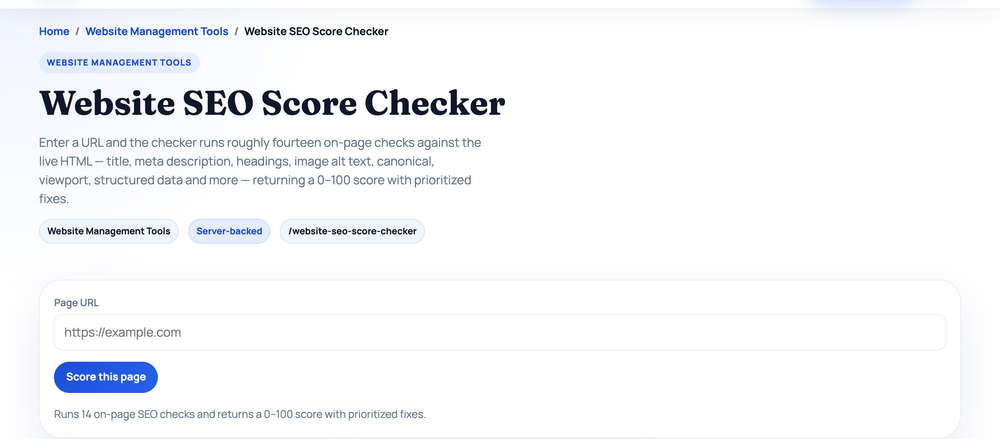
None of these is hard alone. The advantage comes from doing all of them on every page, not occasionally on your favourites. For a quick automated pass, the Website SEO Score Checker fetches any URL and grades it with a battery of pass/warn/fail checks covering most of this list — running it on https://example.com returns 8 passes, 7 warnings, and 3 fails (checked 2026-07-17), and nearly every flagged item is something from this guide: missing meta description, no canonical tag, no Open Graph tags, no subheadings, no internal links, thin content.
Next: the technical layer
On-page SEO is page-by-page work. But some problems live below the page — crawl access, sitemaps, redirects, site speed, HTTPS — and no amount of on-page polish fixes a page Google can't reach. That site-wide plumbing is next: continue with Part 3: the technical SEO checklist.
Sources and official references
Use these external references to verify the guidance and terminology in this article.
Frequently asked questions
What is the most important on-page SEO factor?
Content that genuinely satisfies search intent, supported by a clear title tag and logical heading structure. Everything else amplifies good content.
How long should my content be?
Long enough to fully answer the query — no more, no less. Match the depth of the pages already ranking, and prioritize usefulness over hitting a word count.
Does keyword density still matter?
Not as a target. Use your keyword and related terms naturally; avoid stuffing. A density checker is useful for spotting over-optimization, not for hitting a percentage.