Checking a meta description
Input: A drafted description measuring 168 characters
Output: 168 characters, about 27 words
That is past the roughly 155–160 characters most search results show, so a few words need cutting.
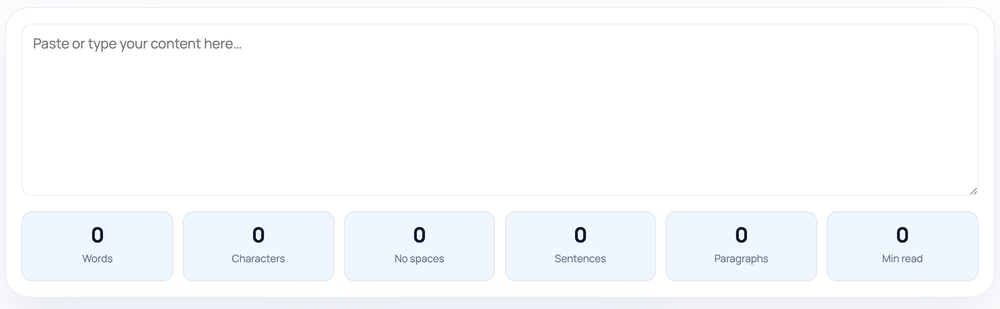
Word Counter tallies words, characters with and without spaces, sentences, paragraphs, and an estimated reading time for any text you paste, updating live inside your browser as you type or edit.
Pro tip: Reading time assumes 200 words per minute, so use it as a rough estimate, not an exact figure.
Paste or type into the box and six totals appear at once and refresh on every keystroke, so you can watch a draft grow or shrink against a target without pressing a button.
Words are found by trimming the text and splitting on any run of whitespace, so a hyphenated term such as "part-time" registers as a single word, and a numeral like "2024" counts the same as any other word. The character count is the raw length of the text including spaces and line breaks; the "no spaces" figure removes every whitespace character before counting.
Sentences are detected by matching stretches of text that end in terminal punctuation — a period, question mark or exclamation mark — so the count follows punctuation rather than grammar. Paragraphs are the non-empty blocks left after splitting on line breaks. The reading figure divides the word total by 200 words per minute and rounds up, so even a one-line note shows at least one minute.
The most frequent surprise is the sentence count being slightly off. Because detection is purely punctuation-based, an abbreviation such as "e.g.", "Inc." or "3.5" contains a period that can be read as a sentence end, nudging the tally up. Treat the sentence and paragraph numbers as close estimates, not exact editorial counts.
A second mistake is comparing this tool's character count with a different counter and expecting an identical number. Tools disagree on whether to include line breaks or trailing spaces; this counter includes them in the total and excludes all whitespace in the "no spaces" figure, which is the convention most platforms use for display limits.
The counter reports length, never quality. It cannot tell you whether a sentence reads well, whether the facts are right, whether the writing is original, or whether it will rank — those are judgements only a person can make. Reading time is an average pace that faster or slower readers will not match exactly.
Everything runs in your browser. The text you paste is counted on your own device and is never uploaded to a server, so you can safely measure private drafts, client copy or unpublished content.
Input: A drafted description measuring 168 characters
Output: 168 characters, about 27 words
That is past the roughly 155–160 characters most search results show, so a few words need cutting.
Input: Three paragraphs totalling 480 words
Output: 480 words across 3 paragraphs, 3 minutes to read
480 divided by 200 is 2.4, rounded up to 3.
Input: We ship worldwide, e.g. to the EU and UK.
Output: Counted as 2 sentences because the period in "e.g." looks like a sentence end.
No. The counting runs locally in your browser, so the text never leaves your device.
You get both numbers: a full character count that includes spaces and line breaks, and a second figure that strips all whitespace out.
By looking for stretches of text that end in terminal punctuation — a period, question mark or exclamation mark — so abbreviations and decimals can occasionally be miscounted as sentence ends.
It divides the word total by 200 words per minute and rounds up to whole minutes, so a very short passage still shows at least one minute.
The text is trimmed and split on any run of spaces or line breaks. Each resulting chunk is one word, so hyphenated terms count as one and a stray symbol surrounded by spaces can count as a word.
Counters disagree on whether trailing spaces, line breaks and punctuation count. This tool includes spaces and breaks in the character total and uses whitespace splitting for words, which matches how most platforms measure display limits.
Yes. Every figure recalculates as you type, paste or delete, so there is no button to press and no waiting.
Our editorial and data-source notes explain how each check works and where estimates come from.