
Duplicate & Thin Content: Why It Hurts SEO and How to Fix It
Duplicate content is substantive text that is reachable at more than one URL — several addresses on your own site serving the same page, or your text appearing on other domains. Thin content is the opposite failure: a page with only one URL that offers so little unique value it gives a search engine no reason to rank it. Google handles the two differently — duplicates are usually just filtered out of results, while a site built on thin pages can see genuine ranking suppression — and the fixes are different too. This guide walks through both, with live checks you can reproduce yourself.
Part 8 of 12 in the HighSEOTools SEO learning path.
One page, five addresses
To a search engine, a page is its URL. A crawler — the program, such as Googlebot, that discovers pages by following links and fetching them (covered in part 4) — treats every distinct URL as a separate document. If two URLs return the same words, the crawler has found two documents that happen to match, not one page. That single fact explains almost all duplicate content, because websites are extremely good at giving one page many addresses:
http://andhttps://versions both resolving, andwwwand non-wwwversions both resolving — that alone is four URLs for one homepage.- URL parameters — the
?key=valuepairs appended after a question mark for tracking (?utm_source=newsletter), sorting, or filtering. Each combination is a new URL serving the same content. - Trailing-slash inconsistencies (
/pagevs/page/), session IDs, and printer-friendly versions. - Manufacturer product descriptions pasted onto many similar item pages.
- Staging or development copies of the site that accidentally get indexed.
Notice that none of these involve anyone copying anything. Most duplicate content is self-inflicted plumbing, not plagiarism.
The penalty myth
There is no general duplicate content penalty. When Google finds several URLs with the same content, it groups them, picks the one it considers canonical — the primary, authoritative version — and filters the rest out of results. Nothing is punished. The damage is quieter and indirect:
- Split signals. Links and engagement earned by the duplicates are scattered across several URLs instead of reinforcing one.
- The wrong version can win. Google's canonical pick is a guess, and it may surface the parameter-cluttered variant instead of your clean URL.
- Wasted crawl budget. Crawl budget is the finite number of URLs a search engine will fetch from your site in a given period. Every duplicate fetched is a real page not fetched.
Deliberate, manipulative copying at scale is a different matter and can draw action — but the accidental duplication described above just leaks value silently.
How big sites solve it: watch the redirects
The strongest fix for URL variants is a 301 redirect — a server response that says "this content has permanently moved, go here instead" and forwards both visitors and ranking signals to the target. You can watch a major site do exactly this. We ran our Redirect Checker, which traces every hop a URL takes, on http://wikipedia.org/ (checked 2026-07-17):
301  http://wikipedia.org/   →  https://wikipedia.org/
301  https://wikipedia.org/  →  https://www.wikipedia.org/
200  https://www.wikipedia.org/
Two permanent redirects, then a final 200 (the HTTP status code for "OK, here is the page"). Wikipedia does not let the HTTP, non-www, and www variants each serve a copy of the homepage; it funnels every variant to one canonical address. Your site should behave the same way: pick one protocol and one host, and 301 the other three combinations to it. Most hosting panels and CMSs have a setting for this, so it is often a one-time fix.
Canonical tags: absorbing the URLs you cannot redirect
Redirects work when the duplicate URL should not be visited at all. But some duplicates must stay reachable — a tracking-tagged link in your newsletter still has to open the page. For those, the canonical tag is the right tool: a line in the page's <head> HTML section that reads <link rel="canonical" href="..."> and names the URL you want credited. It is a strong hint rather than a command — search engines can overrule it — but a consistent canonical resolves most parameter duplication.
Here is a live example. We ran our Spider Simulator — which fetches a URL and reports the title, meta tags, and text a basic crawler can extract — on a Wikipedia article with a fake tracking parameter attached: en.wikipedia.org/wiki/Duplicate_content?utm_source=newsletter (checked 2026-07-17). The page loaded normally with the parameter, but the head reported:
Title:      Duplicate content - Wikipedia
Canonical:  https://en.wikipedia.org/wiki/Duplicate_content
The canonical points at the clean URL, so no matter what parameters arrive attached to a visit, the credit flows to one address. This is why the standard advice is to give every indexable page a self-referencing canonical — a canonical pointing at the page's own clean URL. It looks redundant until the day a parameter-laden version of your page starts circulating.
Two rules keep canonicals safe: use absolute URLs (full https://domain.com/path, not a relative path), and never point many different pages at one target as a template shortcut — each unique page canonicalizes to itself, each duplicate to its own original.
When your text leaves your site
Cross-domain duplication is the same problem across different websites. Three common ways it happens:
- Syndication — you republish an article on a partner site on purpose. Ask the partner to add a canonical tag pointing back to your original, or at minimum a clear link to it, so search engines can attribute the source.
- Scraping — another site copies your work without permission. Google is usually able to identify the original, though not always; a report through its spam channels is the recourse when a scraper outranks you.
- Shared vendor copy — you and two hundred other stores all paste the same manufacturer product description. Nobody copied anybody, but search engines still see two hundred identical pages and have little reason to pick yours. Rewriting descriptions in your own words, with details your buyers actually ask about, is the only real fix.
Thin content: the page that gives no reason to rank
Thin content is not defined by word count. A page is thin when it fails to satisfy the visitor who lands on it — whether that is a 40-word stub or a 900-word page that only rehashes what fifty other pages already say. Typical offenders:
- Auto-generated or spun text written for search engines rather than people.
- Doorway pages targeting tiny keyword variations with near-identical copy.
- Affiliate pages repeating a vendor feed with no added insight.
- Tag and archive pages listing one item or nothing.
- Stubs published before they were finished.
Unlike duplication, thinness is something Google's spam policies address directly — "scaled content abuse" and doorway pages are named violations — and a site made largely of such pages can be suppressed as a whole, not just filtered page by page.
Word count is still a useful screening signal, because a crawler can measure it instantly. Our Spider Simulator counts the words it can extract from a page's HTML and flags anything under 150. Run on https://example.com/ — the intentionally minimal domain reserved for documentation examples — it reported Words seen: 19, flagged as low, with one heading and no meta description (checked 2026-07-17). That page is minimal by design, but the measurement shows what a crawler sees when it lands on a stub: nineteen words is not an answer to anything. If pages on your site produce numbers like that, they are the first candidates for review.
Finding both problems on your own site
An audit does not need enterprise software. Five techniques cover most sites:
- Crawl and sort by word count. Any site crawler (or the Spider Simulator page by page on a small site) surfaces the thinnest URLs quickly.
- Look for repeated titles. Groups of identical title tags almost always mark duplicated or templated pages. Our Website SEO Score Checker reads a URL's title, description, and heading structure as part of its checks, one page at a time.
- Search a distinctive sentence in quotes. Paste an exact sentence from your page into Google inside quotation marks. Multiple results — on your site or others — mean that text lives at more than one URL.
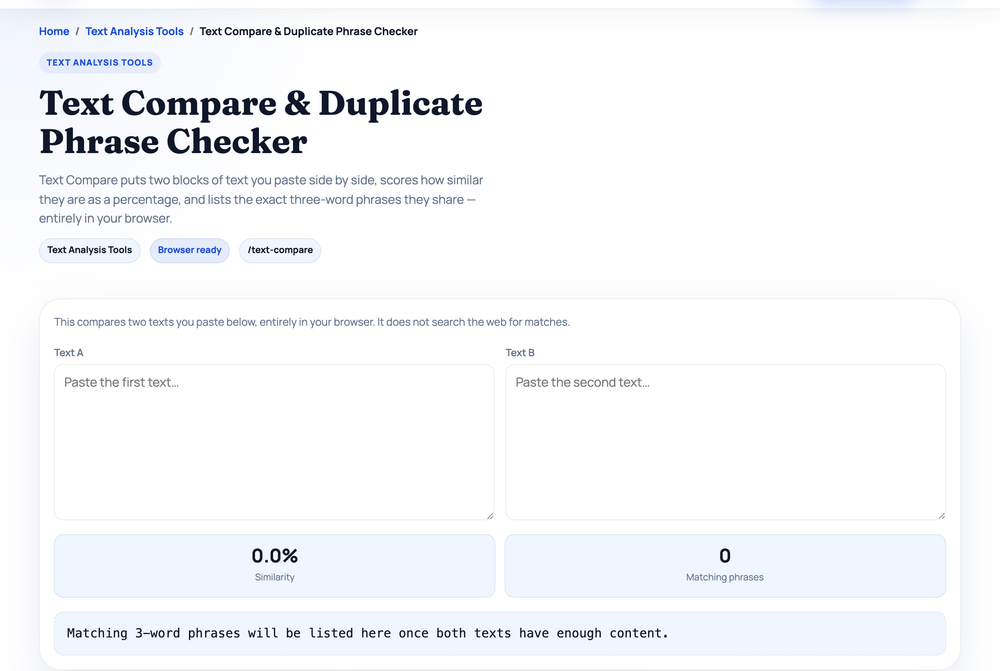
- Compare suspect pairs directly. The Text Compare tool takes two pasted texts, breaks each into overlapping three-word phrases, and reports a similarity percentage plus the matching phrases. It runs entirely in your browser and compares only what you paste — it does not search the web — which makes it right for questions like "how much do these two product descriptions actually overlap?"
- Inspect the head of suspected duplicates. Run the Spider Simulator on each variant URL. Identical titles and text with no canonical, or canonicals pointing at different targets, confirm the problem.
Choosing the fix
Every duplicate or thin page gets one of five treatments. The decision is mostly mechanical:
- 301 redirect when the duplicate URL should not exist — old addresses, protocol and host variants, retired pages with a clear successor. Visitors and signals both move.
- Canonical tag when both URLs must stay reachable — parameter variants, printer versions, a product listed under several category paths. Signals consolidate; the page stays live.
- Noindex — a meta robots directive that keeps a page available to users but out of search results — for pages that serve a function but should never rank, like internal search results or single-item tag archives.
- Improve or merge thin pages whose topic deserves to exist. Expand with original detail, examples, and answers to real questions — a word counter tracks progress, and a keyword density check confirms you are writing naturally rather than repeating a target phrase, which is its own form of thin content. If several weak pages chase the same intent, combine them into one strong page and 301 the rest to it. The structural principles from part 2 on on-page SEO apply directly here.
- Remove pages with no value, no traffic, and no realistic path to either — return a 404 or 410 and let them drop out.
Then stop recreating the problem: link internally to one URL format only (the Website Link Analyzer lists every link on a page with its resolved URL, so mixed http/https or slash styles in your own templates show up immediately), and keep self-referencing canonicals on everything indexable.
One URL per idea
Duplicate content splits signals you have already earned; thin content earns none to begin with. The cure for both is the same discipline: one strong, canonical URL per idea, every variant redirected or canonicalized into it, and every page justifying its existence with something a visitor cannot get from the other results. Sites that hold that line tend to get more out of the same content than sites that scatter it.
Next in the learning path: with your signals consolidated onto one URL per page, the next question is how strong those signals are in aggregate. Part 9 covers domain authority — what the popular 0–100 scores actually measure, who calculates them, and how much they should influence your decisions.
Sources and official references
Use these external references to verify the guidance and terminology in this article.
Frequently asked questions
Does duplicate content cause a Google penalty?
In most cases, no. Google usually just chooses one version to show and filters out the duplicates. The harm is indirect: split ranking signals, wasted crawl budget, and the wrong URL sometimes appearing in results. Deliberate, manipulative copying is a different story and can be penalized.
How much content is considered thin?
There is no fixed word count. A page is thin when it fails to satisfy the visitor who lands on it, whether that is a 50-word stub or a longer page that only rehashes a vendor feed. Judge thinness by unique value and intent match, not length alone.
What is the difference between a 301 redirect and a canonical tag?
A 301 redirect sends both users and search engines to a different URL and removes the old one from results, so use it when a duplicate should not exist. A canonical tag keeps both URLs live but tells search engines which one to credit, so use it when users still need access to the duplicate.