
Robots.txt Explained: How to Control Search Crawlers
robots.txt is a plain text file that sits at the root of your domain — always at yourdomain.com/robots.txt — and tells search engine crawlers which URLs on your site they may request. It controls crawling (whether a bot fetches a page), not indexing (whether a page appears in search results), and mixing up those two jobs is the most expensive robots.txt mistake there is.
Part 4 of 12 in the HighSEOTools SEO learning path.
Four terms in thirty seconds
If you are starting from zero, these four words carry the whole article:
- Crawler (also called a bot or spider): a program, such as Google's Googlebot, that discovers web pages by following links and fetching URLs.
- Crawling: the act of fetching a page's contents. If a page is never crawled, the search engine never sees what is on it.
- Indexing: storing a page in the search engine's database so it can appear in results. Pages are normally crawled first and indexed second — but, as you will see below, a URL can end up indexed without ever being crawled.
- Directive: a single instruction line in robots.txt, such as
Disallow: /admin/.
What robots.txt is — and what it is not
The file follows the Robots Exclusion Protocol, a convention from 1994 that was finally formalized as an internet standard (RFC 9309) in 2022. Compliance is voluntary: reputable crawlers like Googlebot and Bingbot read the file before requesting anything else and respect it, while scrapers and malicious bots are free to ignore it.
That makes robots.txt a set of polite instructions, not a lock. It is not a security feature and it does not hide anything: every robots.txt on the web is publicly readable in a browser, so listing Disallow: /secret-reports/ actually advertises that path to anyone curious enough to look. Protect private content with authentication, never with robots.txt.
Reading three real robots.txt files
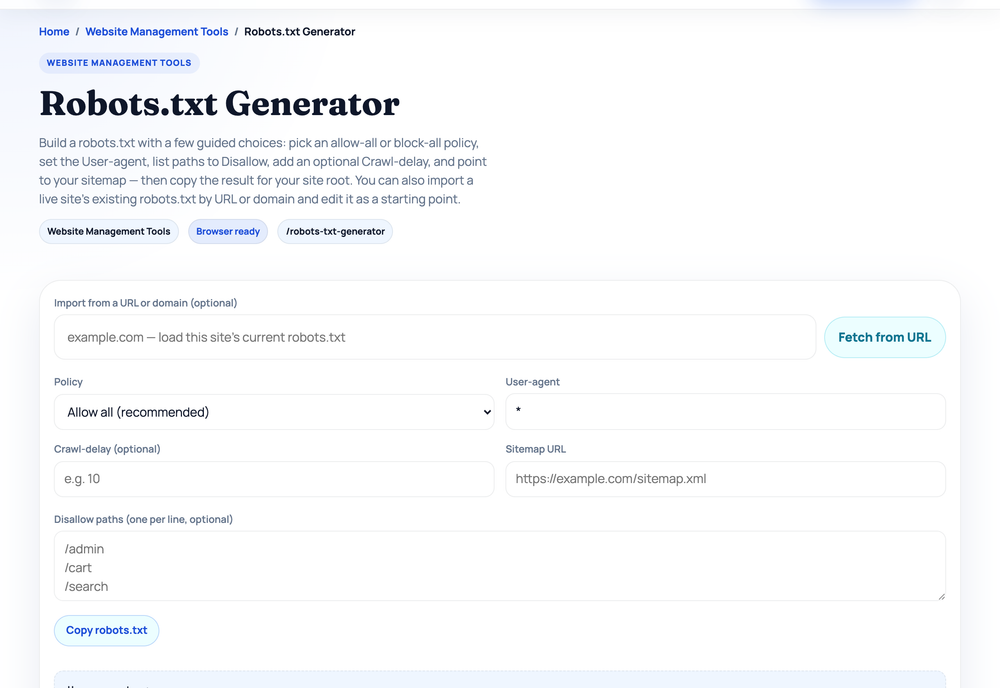
The fastest way to demystify the file is to look at live ones. Our Robots.txt Generator has an import feature that fetches any site's robots.txt and parses it into rule groups; the results below come from real runs of that importer (checked 2026-07-17).
example.com — no file at all
Importing example.com returns: found: false, status: 404. The site simply has no robots.txt, and that is not an error. A missing file means "crawl anything you like," which is a perfectly reasonable default for a small site with nothing to steer bots away from. You do not need a robots.txt just to have one.
gnu.org — a classic hand-written file
The GNU Project's file opens like this (excerpt of the live file):
User-agent: *
Crawl-delay: 4
Disallow: */CVS/
Disallow: */po/
Disallow: /cgi-bin/
Disallow: /copyleft/
...
Sitemap: http://www.gnu.org/sitemap.xml
The importer parsed 27 user-agent groups in total; the wildcard (*) group carries 38 Disallow rules — mostly server includes, translation working files, and CGI scripts that would waste a crawler's time. Two details worth noticing: the Crawl-delay: 4 line asks bots to wait four seconds between requests, but Google has never supported Crawl-delay and ignores it (Bing does honor it). And the Sitemap URL is absolute, protocol and all, exactly as the spec requires.
en.wikipedia.org — big site, same plain text
Wikipedia's file parsed into 34 user-agent groups. Its wildcard group starts with Disallow: /w/, /api/, /trap/, and /wiki/Special:, then continues past 100 rules — our importer caps at 100 and flagged the list as truncated. Two lessons here: first, one of the world's largest websites manages crawler traffic with the same plain-text format you will use. Second, its Sitemap line points to https://en.wikipedia.org/w/rest.php/site/v1/sitemap/0 — a sitemap does not have to be named sitemap.xml or live at the root, as long as robots.txt gives the full URL.
The four directives you will actually use
A robots.txt file is made up of groups. Each group starts with one or more User-agent lines naming which crawler the group applies to, followed by the rules for that crawler.
User-agentnames the crawler.User-agent: *targets all bots;User-agent: Googlebottargets one.Disallowtells the crawler not to request matching paths.Disallow: /admin/blocks everything under that folder.Allowcarves an exception inside a disallowed area. Supported by Google and Bing.Sitemappoints crawlers to your XML sitemap, using a full absolute URL. It sits outside any group.
A small, healthy file — this exact pattern ships on millions of WordPress sites — looks like this:
User-agent: *
Disallow: /wp-admin/
Allow: /wp-admin/admin-ajax.php

Sitemap: https://example.com/sitemap.xml
How matching works
Paths are case sensitive and matched from the start of the URL path. Google supports two wildcards: * matches any sequence of characters, and $ anchors the end of a URL, so Disallow: /*.pdf$ blocks every URL ending in .pdf. When both an Allow and a Disallow match the same URL, the longer (more specific) pattern wins; on an exact tie, Allow wins. An empty Disallow: with nothing after it means "allow everything." And Google reads at most 500 KiB of the file — rules beyond that are ignored, though almost no site ever gets near the limit.
A crawler obeys one group only — groups do not merge
This rule surprises almost everyone. A crawler picks the single group that most specifically names it and ignores all the others; the * group is only a fallback for bots that have no group of their own. You can watch this happen in our Robots.txt Tester, which runs the same longest-match logic in your browser. Click Load sample and it fills in a file where the * group blocks /admin/ but a separate User-agent: Googlebot group only blocks /no-google/. Test /admin/ as Googlebot and the verdict is Allowed with "No rule" matched — Googlebot has its own group, so the * group's Disallow: /admin/ never applies to it. Test the same path as Bingbot (which falls back to *) and it is Blocked. If you add a Googlebot group for any reason, you must repeat every rule you still want Googlebot to follow.
Disallow does not deindex: the noindex trap
Disallow stops Google from fetching a page. It does not remove the page from search results. If other sites link to a blocked URL, Google can index the bare URL anyway and show it with no description ("No information is available for this page").
To keep a page out of the index, use a noindex robots meta tag in the page's HTML (or an X-Robots-Tag HTTP header) — and leave the page crawlable, because Google has to fetch the page to see the tag. Here is the trap that catches even experienced developers: block a page in robots.txt and add noindex, and Google can never crawl the page to read the noindex, so the URL may stay indexed indefinitely. Crawl control and index control are different jobs that need different tools.
What you should never block
Never disallow your CSS and JavaScript files. Google renders pages much like a browser, and if it cannot load those resources it can misjudge your layout, mobile usability, and content. Avoid blocking image directories if image search traffic matters to you. And never ship Disallow: / on a live site — that single slash blocks every page on the domain. It is a normal line on staging servers and gets copied to production by accident often enough that it belongs on every launch checklist.
AI crawlers: a decision your robots.txt now has to make
A newer generation of crawlers fetches pages to train or feed AI models rather than to build a search index: GPTBot (OpenAI), ClaudeBot (Anthropic), PerplexityBot, CCBot (Common Crawl), Google-Extended (Google's Gemini training control), and others. They declare their user-agent names, so you can allow or block each one with an ordinary User-agent group — the Robots.txt Generator has one-click toggles for the common ones, plus for SEO crawlers like AhrefsBot and SemrushBot.
There is no universally right answer. Blocking AI bots can keep your content out of model training, but it can also keep your site from being cited in AI-generated answers, which is a growing discovery channel. One clarification worth knowing: Google-Extended only controls whether your content feeds Gemini; blocking it has no effect on Googlebot or on your normal Google Search presence.
Worked example: blocking a filter parameter safely
Suppose your online store generates endless filtered URLs like /products?color=red&size=large — duplicate views of the same products that eat crawl time. You want to block the filter pattern without touching real product pages.
- Write the rule:
Disallow: /*?color=blocks any URL containing?color=. - Build the file: use the Robots.txt Generator to assemble the full file with the rule and an absolute Sitemap line.
- Test before deploying: paste the file into the Robots.txt Tester and check three URLs:
/products?color=redshould come back Blocked, while/productsand/products?brand=acmeshould come back Allowed. - Deploy and recheck: upload to your live domain, confirm the file is fetched cleanly in Google Search Console's robots.txt report, and retest a few key URLs.
Five minutes of testing turns a rule that could have blocked your whole catalog into a safe, verified change.
Before you ship: the checklist
- The file is at the domain root — crawlers look only at
/robots.txt, never in subfolders. - No stray
Disallow: /survived from staging. - CSS, JavaScript, and needed images are crawlable.
- The Sitemap line uses an absolute URL.
- Pages you want out of the index use
noindexand stay crawlable — not a Disallow. - Nothing sensitive is "protected" by a Disallow line that anyone can read.
- Key URLs were tested — in the Robots.txt Tester before deploying and in Search Console's robots.txt report after.
Robots.txt is the "please stay out of here" half of crawler communication. The other half — handing search engines a clean list of the URLs you do want crawled — is the job of your XML sitemap, and that is where the learning path goes next: Part 5: XML Sitemaps — how search engines find your pages.
Sources and official references
Use these external references to verify the guidance and terminology in this article.
Frequently asked questions
Does robots.txt remove a page from Google?
No. It only asks crawlers not to fetch the page. A blocked URL can still appear in results if other sites link to it. To remove a page from the index, use a noindex meta tag and leave the page crawlable so Google can read that tag.
Where should the robots.txt file be located?
It must sit at the root of your domain, such as example.com/robots.txt. Crawlers only look in that exact location, so placing it in a subfolder means it will be ignored entirely.
Is it safe to block CSS and JavaScript in robots.txt?
No. Google renders pages like a browser and needs those files to understand your layout and mobile usability. Blocking them can hurt how your pages are evaluated, so leave rendering resources crawlable.