
Schema Markup (Structured Data): A Beginner's Guide
Schema markup, also called structured data, is machine-readable code you add to a web page to label what the content actually means: this number is a price, this name is the author, this date is when the article was published. Search engines read those labels to understand your page with confidence, and valid markup makes a page eligible for rich results — enhanced listings with breadcrumb trails, star ratings, prices, and other extras that stand out on the search results page (the SERP).
Part 7 of 12 in the HighSEOTools SEO learning path.
Why does a machine need labels at all? When a search engine's crawler (the program that fetches pages, such as Googlebot) downloads your page, it sees text and HTML tags, not meaning. A human instantly recognizes "$49.99" next to a product photo as a price; to a crawler it is just characters. Structured data closes that gap by declaring facts in a shared vocabulary maintained at Schema.org, a project backed by Google, Microsoft, Yahoo, and Yandex. The labels never change what visitors see. They live in the page source and speak only to machines, including the AI systems that increasingly summarize the web.
What schema looks like: read it off this very page
You do not need a textbook example, because the page you are reading carries structured data right now. Fetch this page's HTML and you will find three JSON-LD blocks in it: a BlogPosting block naming the headline, author, publisher, and publish and modified dates; a FAQPage block describing the questions at the end of this article; and a BreadcrumbList block, reproduced below exactly as the live page serves it (checked 2026-07-17):
<script type="application/ld+json">
{
  "@context": "https://schema.org",
  "@type": "BreadcrumbList",
  "itemListElement": [
    {
      "@type": "ListItem",
      "position": 1,
      "name": "Home",
      "item": "https://highseotools.com/"
    },
    {
      "@type": "ListItem",
      "position": 2,
      "name": "Blog",
      "item": "https://highseotools.com/blog"
    },
    {
      "@type": "ListItem",
      "position": 3,
      "name": "Schema Markup (Structured Data): A Beginner's Guide",
      "item": "https://highseotools.com/blog/schema-markup-guide"
    }
  ]
}
</script>
Read it top to bottom and the pattern is simple. @context names the vocabulary (Schema.org), @type says what kind of thing is being described, and everything else is properties of that thing. Here the thing is a navigation trail with three ordered steps, which is what lets Google show Home › Blog › … in place of a raw URL in the listing. Every schema block you will ever write follows this same shape: a context, a type, and truthful properties.
You can repeat this inspection on any site: open a page, view its source (Ctrl+U or Cmd+Option+U in most browsers), and search for application/ld+json. Reading real markup on sites you admire is the fastest way to learn what good structured data looks like.
JSON-LD, microdata, RDFa: just use JSON-LD
There are three syntaxes for writing structured data, and the choice is easier than it looks.
- JSON-LD (JavaScript Object Notation for Linked Data) is the format Google recommends and the one used in every example in this guide. It is a single self-contained block inside a
scripttag, separate from your visible HTML, so it is easy to read, generate, and update without touching your layout. - Microdata is the older approach: attributes like
itempropsprinkled directly onto your existing HTML tags. It works, but it tangles your data with your markup and is tedious to maintain. - RDFa is similar in spirit to microdata and rarely worth choosing for a typical site.
The types worth learning first
Schema.org defines hundreds of types, but a small handful cover most sites. Start with whichever of these matches your pages.
Organization and LocalBusiness
Organization describes your brand — name, logo, official site, social profiles — and helps search engines connect your identity across the web. If you serve customers from a physical location, use LocalBusiness instead: it adds address, phone number, opening hours, and coordinates that support local visibility.
Article
Article and its variants BlogPosting and NewsArticle mark up editorial content with headline, author, dates, and featured image. It reinforces authorship and freshness signals, which matter for trust.
BreadcrumbList
BreadcrumbList describes the navigation path to a page, as shown above. It is one of the safest, most consistently rewarded types: the breadcrumb rich result appears reliably and makes your listing cleaner.
Product
Product markup carries price, availability, brand, and ratings via a nested Offer and AggregateRating. For online stores it is essential, since it can surface prices and stars directly in search. The price in the markup must match the price on the page, and ratings must come from genuine reviews.
FAQPage and HowTo: know the limits
Two types deserve an honesty warning, because they were once easy rich-result wins and no longer are. Google now limits the expandable FAQ rich result to well-known authoritative government and health sites, and has deprecated HowTo rich results in Search entirely. Both remain valid Schema.org markup — this page itself carries FAQPage markup because it genuinely answers questions, and the labels still help machines parse the content — but do not add either type expecting a visual payoff in Google's results.
Three ways to add markup to a page
- Let your CMS or plugin do it. Many platforms and SEO plugins output common types automatically. This is the easiest route; just verify what is actually produced (view source, as above) rather than assuming.
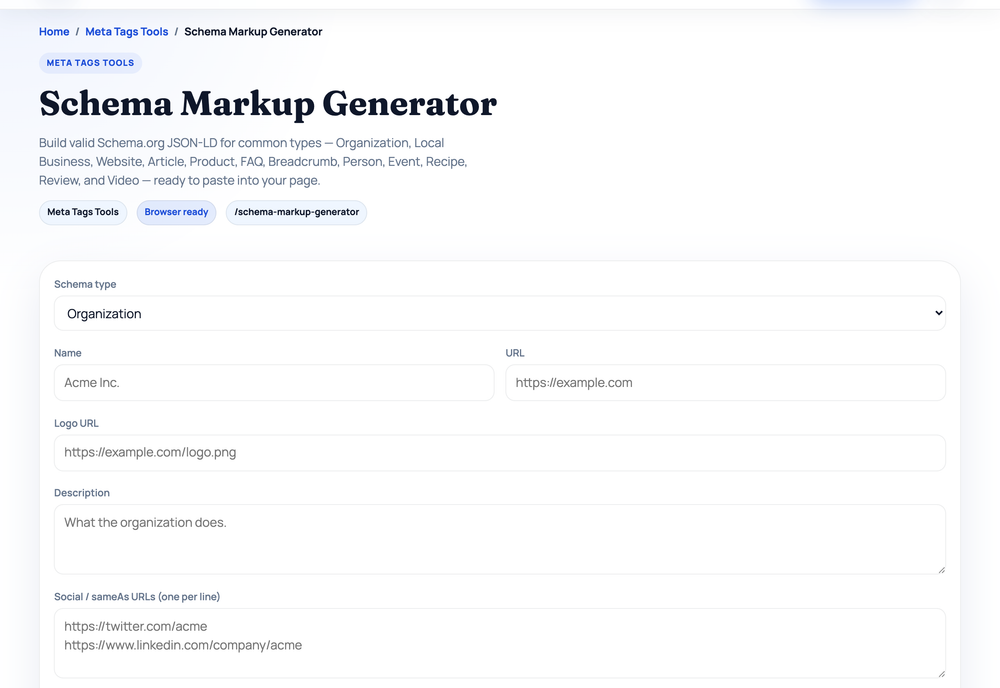
- Use a generator. The free Schema Markup Generator runs entirely in your browser: pick one of 13 types (Organization, LocalBusiness, Article, Product, FAQ, breadcrumbs, and more), fill in a form, and it builds the JSON-LD live as you type, skipping any field you leave empty. For example, selecting Article and typing just a headline, author, publisher, and publish date produces:
Copy the block and paste it into your page's<script type="application/ld+json"> { "@context": "https://schema.org", "@type": "Article", "headline": "How to Brew Cold Brew Coffee", "datePublished": "2026-07-01", "author": { "@type": "Person", "name": "Jane Doe" }, "publisher": { "@type": "Organization", "name": "Example Media" } } </script><head>(anywhere in the HTML body also works). - Hand-write it. Build the object yourself using Schema.org as the reference. Most control, most room for typos — always validate afterwards.
Whichever route you take, the golden rule is the same: markup must describe content that genuinely exists on the page. Schema is a label, not a billboard.
Find out whether a page already has structured data
Besides viewing source, you can check any URL with our Website SEO Score Checker, which fetches a page and runs 19 checks — one of them is whether a JSON-LD block is present. Running it on https://example.com (checked 2026-07-17) returned a score of 62/100, grade D, and under "Social & rich results" flagged:
No structured data — Add Schema.org JSON-LD to qualify for rich results.
That is a presence check, not a validity check: the tool tells you whether structured data exists on the page at all, which is the right first question. Whether the markup is correct is the next one.
Validate before you ship
Never assume your markup works; test it. Google's free Rich Results Test tells you whether a page is eligible for specific rich result features and flags missing or invalid fields. The Schema Markup Validator at Schema.org checks your syntax against the full vocabulary, including types Google does not show rich results for. After your pages are indexed (stored in Google's searchable database), the enhancement reports in Google Search Console show errors and warnings across your whole site, so glance at them periodically — markup that was valid at launch can break during a redesign.
One more caution before you celebrate a clean validation: a rich result is never guaranteed. Valid markup makes a page eligible; Google decides per query whether to show the enhancement.
Mistakes that cost you rich results
Structured data is easy to misuse, and deceptive markup can trigger a manual action (a human-applied penalty at Google). Watch for these:
- Marking up invisible content. Every fact in your schema must be visible to users on the page. Hidden FAQs or reviews that exist only in code violate the guidelines.
- Self-serving review stars. Rating markup you wrote about your own business or products is specifically disallowed.
- Mismatched data. If your schema says one price and the page shows another, search engines learn to distrust both.
- Wrong or stacked types. Tagging a blog post as a
Product, or piling on types that do not match the page, undermines trust rather than building it. - Missing required properties. Each rich result has required fields; skip them and the markup validates as schema but earns nothing.
What schema can and cannot do
Schema markup is not a direct ranking factor and will not lift your positions by itself. What it can do is make your listing richer and more clickable, and give search engines and AI systems a precise, confident understanding of every page. Start with the types that fit your site, write clean JSON-LD, keep every claim truthful and visible, and validate before you ship. It is a low-risk investment that compounds quietly across your whole site.
Next in the learning path: structured data tells search engines what a page means. The next problem is what happens when several of your URLs mean the same thing. Part 8 covers duplicate content — why it appears on almost every site and how canonical tags keep the right version in search.
Sources and official references
Use these external references to verify the guidance and terminology in this article.
Frequently asked questions
Does schema markup improve my rankings?
Not directly. Schema helps search engines understand your content and makes pages eligible for rich results, which can lift click-through rates, but it is not a direct ranking factor on its own.
Which schema format should I use?
Use JSON-LD. It is the format Google recommends, it keeps your structured data in one clean block separate from your HTML, and it is the easiest to add and maintain.
How do I check if my schema is working?
Run the page through Google's Rich Results Test and the Schema.org Markup Validator to catch errors, then monitor the enhancement reports in Google Search Console once the page is indexed.