Meta Tags Tools

Meta Tags Analyzer

Paste a page's HTML and the analyzer pulls out the title, description, robots, canonical, viewport, Open Graph, and Twitter tags, counts the H1s, and flags what is missing or out of range.

Meta Tags ToolsBrowser ready/meta-tags-analyzer

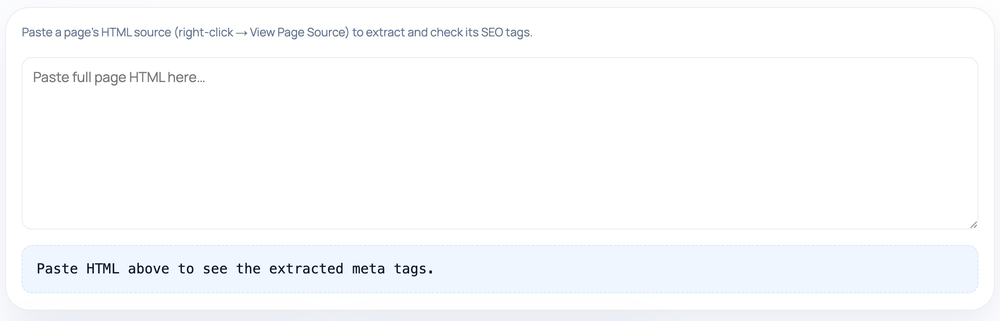
Paste a page's HTML source (right-click → View Page Source) to extract and check its SEO tags.

Paste HTML above to see the extracted meta tags.
Step by step

How to use the Meta Tags Analyzer

  1. Open the target page and copy its full HTML source (View Page Source)
  2. Paste the HTML into the large textarea
  3. Read the parsed table: title, description, robots, canonical, viewport
  4. Check OG title/image, Twitter card, and the H1 count rows
How to use the Meta Tags Analyzer — tool screenshot
The Meta Tags Analyzer on HighSEOTools

Pro tip: Aim for exactly one H1 and keep the title under ~60 and description under ~160 characters.

Read the head a crawler sees

When a search engine fetches your page, the first thing it parses is the markup in the <head>. This analyzer lets you inspect that same markup directly: paste the HTML and it reports the metadata exactly as written, not as you assume it was set.

That distinction matters because a plugin, a template, or a last-minute edit can quietly drop a canonical, flip a page to noindex, or duplicate a description. Seeing the raw extracted values laid out in a table makes those surprises obvious in seconds.

How the parsing works

This is a paste-based tool, not a live fetch. You provide the source — use right-click then View Page Source on the page, or copy the <head> block — and all parsing runs locally in your browser using the built-in HTML parser. Nothing about the page is transmitted anywhere.

It scans for the title element, the description and robots meta tags, the canonical link, and the viewport declaration, then samples the social tags (og:title, og:image, and twitter:card) and counts how many <h1> elements the markup contains. For the title and description it also reports the character count so you can judge length at a glance.

What it reports and flags

  • Title and meta description, each with a live character count
  • Robots directive, or a note that the page defaults to index, follow
  • Canonical link, or a clear — none — when one is absent
  • Viewport tag presence, a quick signal of a responsive setup
  • Open Graph title and image plus the Twitter card type for share previews
  • H1 count, with a nudge toward exactly one main heading per page

How to act on the results

Treat the table as a triage list. A missing title or description is the first thing to fix, since those drive your search snippet. A surprise noindex in the robots row is the highest-priority red flag of all, because it can stop the page ranking entirely.

If the canonical shows a URL you did not expect, check whether your CMS is pointing several pages at one address. More than one H1, or zero, is worth tidying for clarity even though search engines are fairly tolerant of it. Empty Open Graph rows tell you link shares will fall back to whatever the platform can guess.

Common mistakes it catches

The classic is a leftover noindex, nofollow that escaped from a staging environment and shipped to production. Another is a self-referencing canonical that accidentally points at a different page after a template change, which can deindex content you care about.

It also surfaces the quieter issues: a description that is technically present but far too long to display in full, a viewport tag that went missing during a redesign, or social tags that were never added so every shared link looks bare.

Honest limits

Because it reads what you paste, it cannot tell you whether the live server returns the same HTML to a search crawler. Pages that inject tags with JavaScript may differ from the static source you copied, so for a true picture of a tag added at runtime you would need the rendered HTML.

It checks presence, length, and structure, not editorial quality. A description can pass every length check and still be a dull, keyword-stuffed sentence, and a present title can still be a poor match for what searchers want. Use the flags as a checklist, not as a verdict on how good the copy is. Privacy note: the HTML you paste is analyzed entirely in your browser and never uploaded.

Worked examples

Examples straight from the tool

Spotting an accidental noindex

Input: <head><title>Pricing</title><meta name="robots" content="noindex, nofollow"></head>

Output: Title: "Pricing" (7 chars). Robots: noindex, nofollow — flagged, because this asks search engines not to index the page. Meta description: missing. Canonical: none. Viewport: missing. H1 count: 0.

Catches a robots directive left over from a staging environment.

A page with thin social coverage

Input: <head><title>Our Story</title><meta name="description" content="How the company began."><meta name="viewport" content="width=device-width"></head>

Output: Title and description present and short. Viewport present. OG title: none. OG image: none. Twitter card: none — so a shared link would render without a custom card.

The page is indexable but every link share will look bare.

FAQ

Questions we get about Meta Tags Analyzer

Does it fetch my live URL?

No. It only reads the HTML you paste in. If you want a tool that retrieves a public URL itself, use the Open Graph Checker, which works from a fetched page instead of pasted source.

Can I paste the entire page, not just the head?

Yes. It locates the metadata wherever it sits in the markup, so a full-page paste works fine — only the head-level tags and the H1 count are reported.

Why does it count my H1 tags?

A page is clearest with a single, descriptive H1. The count helps you spot pages with no main heading or several competing ones, which can muddy the page's topic.

Why does it say my description looks too long?

It reports the character count next to the description. Search engines truncate long descriptions, so a high count is a sign the end of your text may be cut off in results.

It found tags I did not write — why?

Themes, SEO plugins, and CMS defaults inject tags automatically. Seeing them here is useful; it shows what a crawler receives beyond your manual edits.

Is the HTML I paste kept private?

Yes. Parsing happens entirely in your browser with the built-in HTML parser, so nothing you paste is sent to or stored on a server.

Site standards

How HighSEOTools handles data and methodology

Our editorial and data-source notes explain how each check works and where estimates come from.