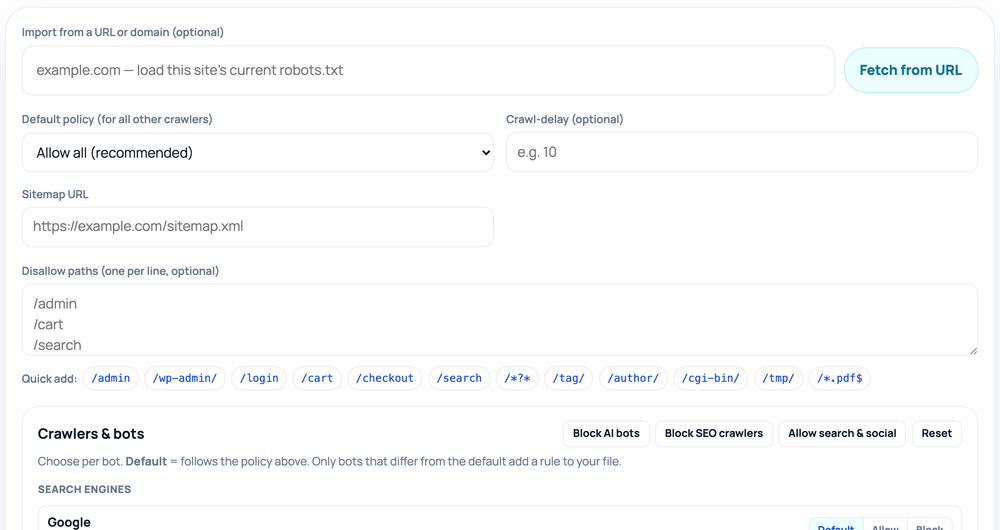
The file always opens with a User-agent: * group carrying your default policy — Allow: / (with any Disallow paths beneath it) or a single Disallow: / to block every crawler. Each crawler you switch to Allow or Block in the catalog adds its own group below, for example User-agent: GPTBot followed by Disallow: /. The builder only writes a group when a crawler differs from your default, so the file stays clean. Disallow paths get a leading slash added automatically (typing admin and /admin both produce Disallow: /admin), and a Crawl-delay plus the Sitemap line are appended at the end.
The robots.txt text is assembled in your browser as you type, and nothing you build is uploaded. If you paste a URL or domain into the optional import box, the tool fetches that site's live /robots.txt once — server-side, read-only — and pre-fills the policy, User-agent, Disallow paths, Crawl-delay, and Sitemap so you can edit an existing file instead of starting from scratch. It never writes anything back to your server. After you copy the output, you still have to save it as robots.txt and place it at your domain root so it resolves at /robots.txt.
The importer models a single user-agent group — the wildcard * by default — because that is what this builder produces. If the fetched file has several user-agent groups or Allow: exceptions, only the * group is imported and a note tells you what was left out; the tool also shows the full fetched file beneath the output so you can copy any extra rules by hand.