Website Management Tools

Robots.txt Tester

Paste a robots.txt, enter a path and a crawler name, and the tester reports Allowed or Blocked along with the exact rule that decided the outcome, using Google's longest-match logic.

Website Management ToolsBrowser ready/robots-txt-tester

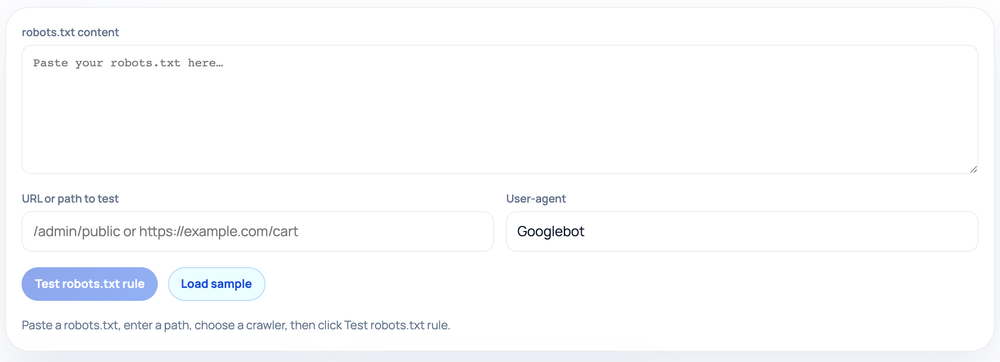
Paste a robots.txt, enter a path, choose a crawler, then click Test robots.txt rule.

Step by step

How to use the Robots.txt Tester

  1. Paste your full robots.txt contents into the large text box
  2. Enter the URL or path to test and the crawler user-agent (e.g. Googlebot)
  3. Click Test robots.txt rule to evaluate the path against your rules
  4. Read the Allowed/Blocked banner plus the matched rule and applied agent group
How to use the Robots.txt Tester — tool screenshot
The Robots.txt Tester on HighSEOTools

Pro tip: On conflicts the longer (more specific) rule wins and ties favor Allow, exactly mirroring Google's matching logic.

The question it answers

Before you trust a robots.txt in production, you usually want to confirm that a specific URL behaves the way you intended for a specific bot. This tool takes those three inputs — the file contents, a path, and a user-agent name — and tells you whether that crawler would be permitted to fetch that path. Crucially, it also surfaces the single directive responsible, so a surprising result is easy to trace back to the line that caused it.

There is a Load sample button if you just want to see how the verdict and matched-rule output look. It loads a small example with a couple of user-agent groups and a Sitemap line, which you can edit freely or replace with your own file.
How the match is decided

  • It parses the file into user-agent groups and selects the most specific group whose agent name is contained in the crawler you entered, falling back to the * group when none matches.
  • Within that group it compares the path against every Allow and Disallow pattern, expanding the * wildcard and the $ end-anchor the way Google's parser does.
  • When several rules match, the longest matching pattern wins (length is measured ignoring wildcards); if an Allow and a Disallow are the same length, Allow takes precedence.
  • An empty Disallow value is treated as allow-all and skipped, and if no rule matches at all, the path is allowed.

Reading the verdict

The result banner shows a clear Allowed or Blocked, names the winning rule verbatim — for example Disallow: /cart — and tells you which user-agent group was applied. That makes it practical to debug cases where an Allow exception was supposed to override a broad Disallow but the patterns did not line up, or where a path matched the * group when you expected a named bot's group to apply.

You can paste either a bare path like /admin/public or a full URL like https://example.com/cart; the tester extracts the pathname before matching, so both work. A domain-with-path such as example.com/cart is handled the same way. All evaluation runs locally in your browser against the text you paste — nothing is fetched from a live site, and your robots.txt never leaves the page.

When to reach for it

  • Confirm a new Disallow blocks what you intended without accidentally catching neighboring paths.
  • Check that a deliberate Allow carve-out actually beats the broader Disallow above it.
  • Compare how the same path resolves for Googlebot versus the generic * group when you maintain bot-specific rules.
  • Sanity-check a wildcard pattern such as /*?sort= before deploying it to a live file.

Common mistakes it helps catch

The classic trap is an ordering or specificity mistake: people assume rules are applied top to bottom, so the last matching line wins. Google does not work that way — it uses longest-match, so a short Disallow can lose to a longer Allow no matter where each sits in the file. Another frequent surprise is a pattern that is broader than expected; Disallow: /blog also blocks /blogger because there is no implied word boundary. Testing the real path against the real file surfaces both problems before they cost you crawl coverage.

Where it stops short

The tester models Google's interpretation of the standard. Other search engines vary slightly — some do not support wildcards, and crawl-rate directives are handled differently everywhere — so a verdict here is a strong guide for Googlebot but not a universal guarantee across every crawler. It also evaluates only the text you give it: it does not fetch your live robots.txt, so it cannot tell you whether your server actually returns that content at the root, returns a 404, or serves a different file than you pasted. Confirm the live file separately once the logic checks out.

Worked examples

Examples straight from the tool

An Allow exception beating a broad Disallow

Input: User-agent: * / Disallow: /blog/ Allow: /blog/launch — test path /blog/launch for Googlebot

Output: Allowed. Matched rule: Allow: /blog/launch (longer than Disallow: /blog/). Applied group: *.

Equal-length ties would also favor Allow.

A wildcard catching query strings

Input: User-agent: * / Disallow: /*?sort= — test path /shop?sort=price

Output: Blocked. Matched rule: Disallow: /*?sort=.

The * stands in for any characters before the literal ?sort= segment.

A path with no matching rule

Input: User-agent: * / Disallow: /admin/ — test path /about

Output: Allowed. No rule matched, so the default is allow.

Anything not covered by a Disallow is crawlable.

FAQ

Questions we get about Robots.txt Tester

Why does it ask for a user-agent?

Because rules are grouped by crawler. The same path can be allowed for one bot and blocked for another, so the verdict only makes sense once you say which crawler you are testing.

What is longest-match precedence?

When more than one rule matches a path, the rule whose pattern is longest decides the outcome, regardless of line order. It reflects how Googlebot resolves conflicts between overlapping Allow and Disallow lines.

Can I paste a full URL or only a path?

Either works. Paste /cart, example.com/cart, or https://example.com/cart — the tester extracts the path portion before evaluating the rules.

Does a Blocked result mean the page is hidden from search?

It means the crawler will not fetch the page. The URL can still be indexed from links elsewhere, so blocking is not the same as removing a page from results.

Will the verdict match Bing or other engines?

Mostly, but not always. The tool follows Google's parsing rules, including wildcard support that some engines lack, so treat it as authoritative for Googlebot and indicative elsewhere.

Does it check my real robots.txt?

No. It only evaluates the text you paste. It cannot confirm your server actually serves that file at /robots.txt, so verify the live file once the logic is right.

Site standards

How HighSEOTools handles data and methodology

Our editorial and data-source notes explain how each check works and where estimates come from.