Keywords Tools

Keywords Density Checker

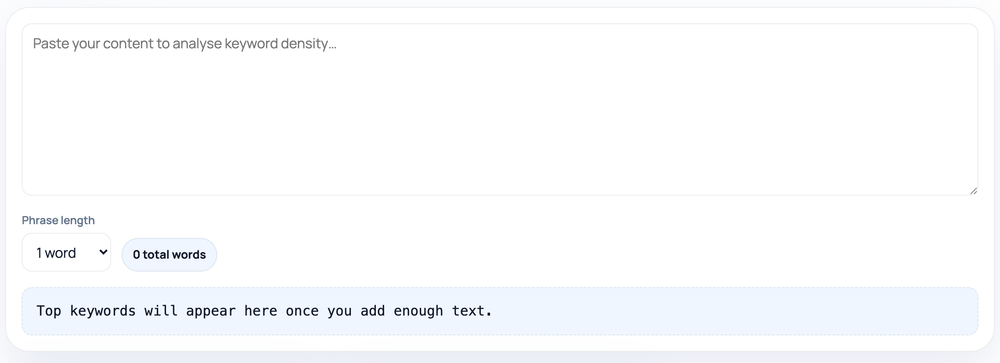
Paste content, pick a phrase length of one, two, or three words, and the checker lists the most frequent terms with their density — each term's count as a percentage of total words — ranking the top results.

Keywords ToolsBrowser ready/keywords-density-checker
0 total words
Top keywords will appear here once you add enough text.
Step by step

How to use the Keywords Density Checker

  1. Paste your content into the analysis box.
  2. Pick a phrase length: 1, 2, or 3 words.
  3. Read the total word count shown next to the selector.
  4. Review the top 20 terms by count and density percentage.
How to use the Keywords Density Checker — tool screenshot
The Keywords Density Checker on HighSEOTools

Pro tip: Switch to 2- or 3-word phrases to catch keyword-stuffed phrases that single-word counts miss.

What density actually counts

Keyword density is the number of times a term appears divided by the total word count, shown as a percentage. This tool lowercases your text, strips punctuation so words and their punctuated forms are counted together, splits the result into words, and then tallies how often each term occurs. It shows the total word count and ranks the most frequent terms in a table so you can see at a glance what your page repeats most.

You control the term length with a dropdown: one word counts single words, two words counts consecutive pairs (bigrams), and three words counts consecutive triples (trigrams). You analyze one length at a time — switch the dropdown to move between single words and phrases.
Reading the table

Each row shows a term, how many times it occurs, and its density against the total word count, with the list sorted from most to least frequent and capped at the top results. Multi-word phrases are useful because a page about running shoes might use running and shoes separately without ever pairing them; switching to the two-word view reveals whether the actual phrase running shoes is present. A single term sitting far above everything else can signal overuse worth toning down.

Because the tool counts whatever you paste, the numbers reflect your visible copy exactly — including navigation text or boilerplate if you paste it in. For a clean read on a single piece of content, paste just that content.

How the counting works

  • Text is lowercased, so Coffee and coffee are counted as the same term.
  • Punctuation and symbols are removed before counting, so don't is treated as dont and trailing commas or periods do not create separate entries.
  • For a phrase length of N, every window of N consecutive words is counted, including overlapping windows.
  • Density is each term's count divided by the total number of words, shown as a percentage, and the table shows the highest-frequency terms first.
  • Note there is no stop-word filtering: common words like the and and are counted too, so for single-word analysis the very top rows are often those filler words.

Using it well

The most informative views are usually the two- and three-word ones, because they surface real phrases rather than filler. For single words, expect ordinary connector words to dominate the top of the list — that is normal, and your topic terms will appear a little further down. Use the report to confirm your main subject is clearly present in the copy and to catch a term you have leaned on too heavily and could vary with synonyms or related words.

There is no ideal density percentage to hit. Modern ranking relies on context and related terms far more than raw repetition, so read the table as a description of what you wrote, not a score to optimize.

Common mistakes

  • Treating a particular density percentage as a target — there is no magic number, and chasing one leads to stuffed, awkward copy.
  • Being surprised that the, and, or of top the single-word list — there is no stop-word filter, so those are expected.
  • Pasting a whole page including menus and footers, then reading the boilerplate as part of the content's emphasis.
  • Looking only at single words and missing whether the exact target phrase appears — check the two- and three-word views.
  • Assuming the tool reads a live URL; it analyzes only the text you paste in.

Limitations and privacy

This is a frequency counter, not a search engine. It does not understand meaning, weight terms by where they appear (a heading versus body text), or compare your page to competitors. It also does not filter stop words, so single-word results need a little mental filtering of their own. And it works only on the text you provide — it does not fetch a page, so paste the visible copy you want to analyze rather than a URL. All counting happens locally in your browser; nothing you paste is uploaded or stored.

Worked examples

Examples straight from the tool

Single-word view of a short paragraph

Input: Fresh coffee tastes best in the morning. Good coffee beans make great coffee. (13 words)

Output: coffee — 3 (~23%); the, in, and similar connector words also appear; beans — 1; morning — 1.

With no stop-word filter, common words are counted alongside coffee.

Two-word view of the same text

Input: Phrase length: 2 words — "Good coffee beans make great coffee."

Output: good coffee — 1; coffee beans — 1; beans make — 1; make great — 1; great coffee — 1.

The two-word view shows which exact pairings actually occur.

FAQ

Questions we get about Keywords Density Checker

What keyword density should I target?

There is no correct number. The metric is a diagnostic, not a goal; aim for natural writing where your main term appears where it makes sense rather than at a set percentage.

Why are the, and, and of at the top of my results?

The tool does not filter stop words, so for single-word analysis these common connectors are counted and naturally rank highest. Your topic words appear further down the list.

Can I check one-, two-, and three-word phrases at once?

Not simultaneously. Use the phrase-length dropdown to switch between single words, pairs, and triples — you analyze one length at a time.

What are two- and three-word terms?

Bigrams and trigrams: consecutive word pairs and triples, counted across overlapping windows. They show whether an exact phrase appears, which single-word counts alone cannot tell you.

Does it analyze a live URL?

No. It works on the text you paste. Copy the visible content you want to check rather than entering a web address.

Can a high density hurt my page?

Repetition far beyond natural usage reads poorly and can look like keyword stuffing. The checker helps you spot that pattern so you can rewrite for readability.

Site standards

How HighSEOTools handles data and methodology

Our editorial and data-source notes explain how each check works and where estimates come from.