A headline with punctuation and an accent
Input: 10 Best Cafés in München: A Local's Guide!
Output: 10-best-cafes-in-munchen-a-locals-guide
The apostrophe, colon, and exclamation mark are dropped; the accents become plain ASCII.
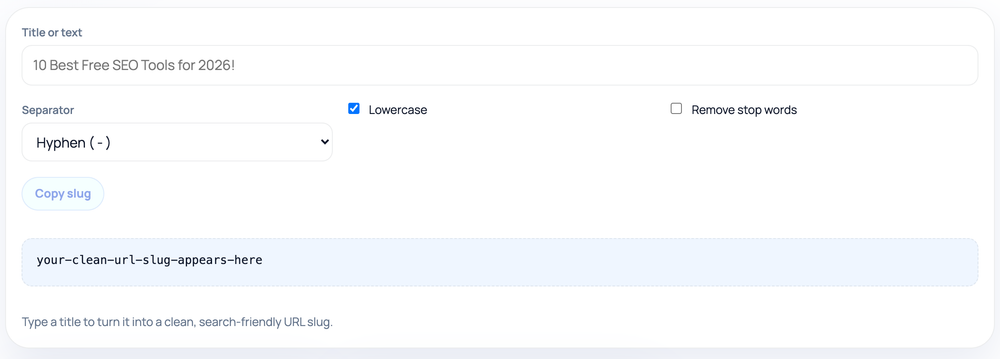
Convert a title or phrase into a clean URL slug: lowercase, accents transliterated to ASCII, words joined by your choice of hyphen or underscore, with optional stop-word removal and a live character count.
Pro tip: Prefer hyphens over underscores; Google reads hyphens as word separators, so slugs rank as separate keywords.
The slug is the human-readable part of a URL that identifies a page, such as on-page-seo-basics in /blog/on-page-seo-basics. A good slug is short, lowercase, and uses a clear separator between words so both people and crawlers can read it. This tool takes whatever you type — a headline, a product name, a full sentence — and reshapes it into that form in a single step, showing the result and its length as you type.
The character count under the output is a useful nudge: very long URLs get truncated in search snippets and are awkward to share, so seeing the slug grow helps you keep it tight.
The conversion is pure string processing in your browser. It does not check whether the slug is already used elsewhere on your site, and it does not contact a server, so pasting a private working title is safe. Because trailing punctuation and stray symbols are removed, dropping in a full sentence with commas and quotation marks still yields a usable result.
Stop-word removal has a built-in guard: if filtering would remove every word — for example a title that is nothing but stop words — the tool keeps the original words instead of returning an empty slug. That means you can leave the option on without ever producing a blank URL.
For SEO, hyphens are the safer separator: search engines treat them as word boundaries, while underscores are read as joiners, so word_one_two can be parsed as a single token. The underscore option exists for cases where a system or convention requires it, but hyphen is the default for good reason.
Removing stop words produces tighter slugs (how-to-bake-bread rather than how-to-bake-the-bread), which many people prefer for readability. It is a stylistic choice, not a ranking requirement — search engines handle both forms fine. Keep stop words when removing them would make the slug ambiguous or change its meaning, such as in a title where a small word carries real sense.
Characters with no ASCII equivalent — entire non-Latin scripts, for instance — are removed rather than transliterated, because there is no reliable one-to-one mapping for them; the result is a shorter slug rather than a percent-encoded, unreadable one. The stop-word list is a fixed English set, so it will not trim filler words in other languages. And the slug is only the path segment: the tool does not build the full URL, check for collisions, or set up redirects, so those steps remain yours.
Input: 10 Best Cafés in München: A Local's Guide!
Output: 10-best-cafes-in-munchen-a-locals-guide
The apostrophe, colon, and exclamation mark are dropped; the accents become plain ASCII.
Input: 10 Best Cafés in München: A Local's Guide!
Output: 10-best-cafes-munchen-locals-guide
in and a are removed, leaving the keyword-bearing words.
Input: Quarterly Sales Report (separator: underscore)
Output: quarterly_sales_report
Switch the separator when a system requires underscores.
Search engines treat hyphens as word separators but read underscores as joiners, so word_one_two can be parsed as a single token. Hyphens keep each word distinct, which is why hyphen is the default.
Accented Latin letters are transliterated to their closest ASCII equivalent. Characters with no ASCII mapping are removed rather than left to be percent-encoded into an unreadable URL.
It won't. If filtering would strip every word, the tool keeps the original words instead, so you never get a blank slug even on a title made entirely of stop words.
It is mainly a readability preference. Both forms rank equally; shorter slugs just look cleaner in links and snippets. Skip removal when it would make the slug unclear.
To help you keep slugs short. Long URLs get truncated in search snippets and are harder to share, so the live count is a reminder to trim where you can.
Avoid it when you can. Changing a live slug breaks existing links unless you add a redirect from the old URL to the new one, so it is best decided before publishing.
Our editorial and data-source notes explain how each check works and where estimates come from.