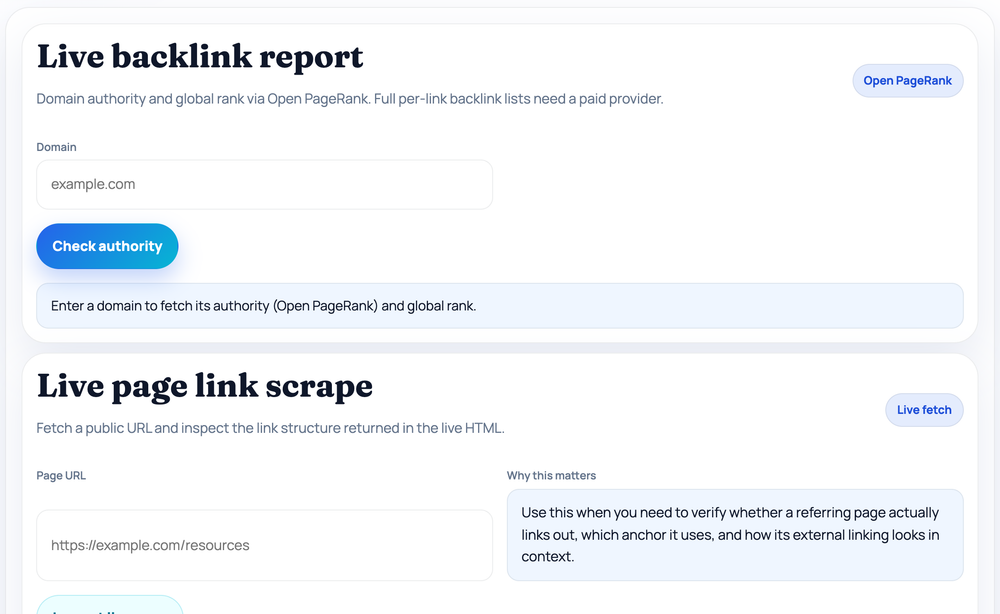
Enter a domain to fetch its authority (Open PageRank) and global rank.
Backlink Tools
Backlink Audit Tool
Three linked tools in one: check a domain's authority via Open PageRank, scrape a live page's link structure, and analyse a backlink export or referring-page HTML for domain diversity, anchors, and follow/nofollow patterns.
Why this matters
Use this when you need to verify whether a referring page actually links out, which anchor it uses, and how its external linking looks in context.
Fetch a live referring page to inspect its links.
Paste a backlink export, URL list, or raw HTML from a referring page.
Step by step
How to use the Backlink Audit Tool
- Enter a domain and click Check authority for Open PageRank and global rank.
- Paste a referring page URL and click Inspect live page to scrape its links.
- Review total/external/follow links, top anchors, and top external domains.
- Paste a backlink export or HTML into the Manual analyzer for follow ratio and referring domains.
Pro tip: Set a Target domain in the manual analyzer to filter a pasted export down to links pointing only at your site.
What this tool does — and doesn't
Be clear on one thing up front: this is not a web-scale backlink index. It does not crawl the whole internet, so it cannot magically list every link pointing at a domain the way a paid provider with its own crawler can. Instead it gives you three practical, free ways to work with link data: a live domain-authority lookup, a live single-page link scrape, and an analyser for backlink data you already have. Together they cover the everyday checks most people actually need without a subscription.
Each panel works independently, so you can use just the one that fits your task — vet a prospect's authority, confirm whether a specific page really links to you, or audit a list of backlinks exported from another tool.
Panel 1 — Live domain authority
Enter a domain and this panel queries the Open PageRank API to return an estimated authority score on a 0–100 scale (Open PageRank's native 0–10 value multiplied by ten), the raw Open PageRank value, and the domain's approximate global rank. It is a quick way to size up a referring domain or an outreach prospect before you look closer. As with any link-graph metric it is an estimate, not Moz DA or Ahrefs DR, and new or low-traffic domains may return no data at all.
Panel 2 — Live page link scrape
Paste a public URL and this panel fetches the page on our edge and parses the links in the returned HTML. It reports total links, how many are internal versus external, the follow versus nofollow split, the number of unique external domains, the top anchor texts, the top external domains, and a sample of individual links. This is the panel to use when you want to verify whether a specific referring page genuinely links out to you, which anchor it uses, and how that link sits among the page's other outbound links. It reads the server-rendered HTML, so links injected later by JavaScript may not appear.
Panel 3 — Manual export analyser (in your browser)
The third panel takes data you provide — a CSV or list of backlink rows, pairs of source and target URLs, or the raw HTML of a referring page — and summarises the pattern locally. You can auto-detect the format or pick "URL list / CSV" or "referring page HTML" explicitly, and you can set an optional target domain so the analyser keeps only the links that actually point at your site. It then reports the number of links, the count of unique referring domains, the follow ratio, the number of unique anchors, the top referring domains, the top anchor texts, and plain-language review notes that flag things like a single domain dominating the sample or an over-used anchor. You can paste text directly or upload a .csv, .tsv, .txt, or .html file.
How to read the results
- Referring-domain diversity — how many distinct domains link, which usually matters more than raw link count.
- Anchor-text distribution — whether anchors look natural and brand-led or stuffed with one exact-match keyword.
- Follow vs nofollow split — roughly how much of the sample could pass ranking signals.
- Concentration warnings — one domain repeating heavily, or a flood of identical anchors, deserves a manual look.
- Context matters — a high "click here" or branded-anchor share is often natural, not a red flag.
Common mistakes
The biggest mistake is expecting the manual analyser to discover links on its own — it only ever reflects the data you paste or upload, so its completeness equals the completeness of your export. Another is judging a profile from too small a sample; a handful of rows cannot tell you much about overall health. People also forget to set the target domain in panel three, which leaves unrelated outbound links in the mix and skews the counts. Finally, treat the follow ratio as a sample statistic, not a verdict: a nofollow link from a relevant, high-traffic page can still be valuable.
Privacy and limitations
The manual export analyser runs entirely in your browser: the parsing and summarising happen on your device, so the export you paste or the file you upload is not sent to a server by this tool. The domain-authority and live-page panels, by contrast, do make a request from our edge — the authority panel to Open PageRank and the page panel to the URL you enter — because those tasks require a live fetch. None of the panels maintain a historical backlink index, anchor totals and domain lists are capped to the top entries for readability, and JavaScript-injected links are outside what the page scrape can see.
Worked examples
Reading a real link profile
Reviewing an export
Input: A CSV of 600 backlinks pasted into panel 3
Output: 118 referring domains · 64% follow ratio · top anchor "click here" (22%)
Reasonable diversity; the high "click here" share reads as natural rather than over-optimised.
Confirming a link on a live page
Input: https://example-blog.com/resources in panel 2
Output: 42 total links · 9 external · 7 follow · top external domain example.com
The page does link out and the anchor is visible — useful to verify a placement landed.
Sizing up a prospect
Input: prospect-site.com in panel 1
Output: Authority 47/100 · Open PageRank 4.70 / 10 · global rank #138,900
Mid-range authority — pair it with a relevance and traffic check before reaching out.
FAQ
Questions we get about Backlink Audit Tool
Does it fetch all backlinks for a domain automatically?
No. There is no built-in web-scale backlink index. The authority panel returns a score, the page panel scrapes one URL, and the manual panel analyses data you supply.
What does the domain authority panel use?
It queries the Open PageRank API and shows an estimated 0–100 score, the raw 0–10 value, and the global rank — an estimate, not Moz DA or Ahrefs DR.
Can it check links a page adds with JavaScript?
No. The live page scrape reads the server-rendered HTML, so links injected later by client-side scripts may not be detected.
What input formats does the manual analyser accept?
A CSV or list of backlink rows, pairs of source and target URLs, or raw referring-page HTML — typed in or uploaded as .csv, .tsv, .txt, or .html.
What is the target domain field for?
Setting it filters the pasted sample down to only the links that point at that domain, so the counts reflect your site rather than every link in the file.
What counts as a healthy profile?
Generally many distinct referring domains, varied natural anchors, and a believable follow/nofollow mix — though niche and context always matter.
Is my pasted backlink data uploaded?
No. The manual export analyser parses and summarises in your browser, so that data stays on your device. The authority and live-page panels do make a server-side request because they need a live fetch.
Site standards
How HighSEOTools handles data and methodology
Our editorial and data-source notes explain how each check works and where estimates come from.