Website Tracking Tools

Check Server Status

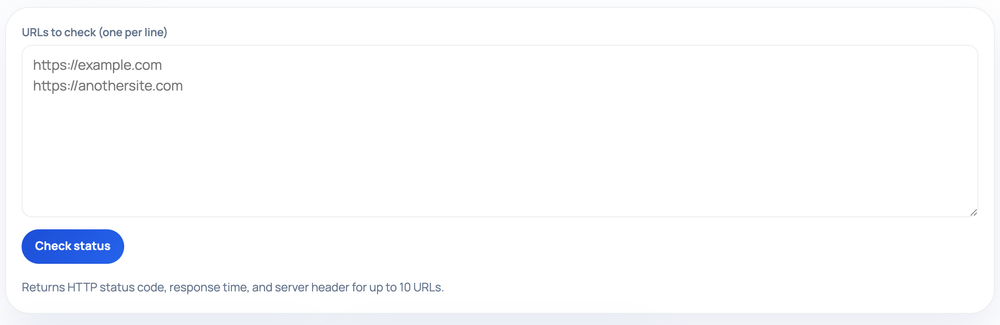
Submit up to ten public URLs at once and get back each one's final HTTP status code and status text, how long the response took, and the Server header it reported.

Website Tracking ToolsServer-backed/check-server-status

Returns HTTP status code, response time, and server header for up to 10 URLs.

Step by step

How to use the Check Server Status

  1. Enter one or more public URLs (one per line, up to 10) in the box
  2. Click Check status to probe each server live
  3. Read the DNS resolution, final HTTP status, HTTPS, redirect, and response-time checks
  4. Scan the headers and recommendations for any Warn or Fail items to fix
How to use the Check Server Status — tool screenshot
The Check Server Status on HighSEOTools

Pro tip: A slow response time (over 800ms) or missing HTTPS flags real issues worth fixing before they hurt crawl budget.

Built for batches

Enter your URLs one per line, or separated by commas, up to ten at a time. The tool requests each address from our Cloudflare edge in parallel, follows any redirects to the final destination, and lists the results together. Instead of pasting URLs one at a time, you can sanity-check a set of important pages, a list of regional domains, or a sample pulled from a sitemap export in a single pass.

Each result shows the final URL after redirects, the numeric status code with its standard label (for example 200 OK or 404 Not Found), the round-trip response time in milliseconds, and the value of the Server header when the origin chooses to send one. Above the list, a short summary counts how many URLs were checked and how many came back reachable.

What each result tells you

  • Final status code — 2xx means the page answered normally; 3xx that did not resolve, or a 4xx like 404, points to a client problem such as a missing page; a 5xx points to a server-side fault worth investigating.
  • Status text — the human-readable label next to the number, so you do not have to memorise that 410 means Gone or 503 means Service Unavailable.
  • Response time — the milliseconds between sending the request and receiving the final response, useful for spotting one sluggish URL among many healthy ones.
  • Server header — the software string the origin advertises, such as a CDN or web-server name, shown as a dash when the origin does not send one.

How the measurement works

Each URL is fetched with a GET request that follows redirects, so the status and timing describe the page a visitor would actually land on rather than an intermediate hop. Timings are taken at the moment you run the check, from our edge location to the target host, so they reflect that single network path rather than an average over time.

Treat the number as a quick comparative reading. Run the batch again and values will shift slightly with network conditions and origin load. The reachable count is the fast triage signal: if it is lower than the number checked, scan the list for the codes that are not in the 2xx or 3xx range.

Good moments to use it

  • After a migration or deploy, to confirm a shortlist of key pages all return 200 instead of 404 or 500.
  • When auditing a set of marketing or campaign links before they go out, so you catch dead URLs first.
  • To compare the same pages across staging-style subdomains or regional hosts side by side.

Honest limitations

The Server header is optional, so many hardened sites strip it and that field will simply show a dash. A site that throttles or blocks automated traffic may answer with a 403, a 429, or a challenge even though it serves browsers fine, because the request carries an identified tool user agent. Response time depends on the route between our edge and the origin, which is not identical to the latency your own visitors experience from their locations, so use it for relative comparison rather than as an absolute benchmark.

Only publicly reachable URLs can be checked; localhost and private network addresses are refused. The limit is ten URLs per run, and an entry that is not a valid address is reported as invalid rather than silently skipped.

Worked examples

Typical inputs, typical outputs

Comparing three pages at once

Input: https://example.com https://example.com/pricing https://example.com/old

Output: Checked: 3, Reachable: 2 • https://example.com/ — 200 OK · 180 ms · server: cloudflare • https://example.com/pricing — 200 OK · 240 ms · server: cloudflare • https://example.com/old — 404 Not Found · 95 ms · server: cloudflare

The 404 on /old flags a dead link worth redirecting or removing.

A mix of healthy and failing endpoints

Input: https://example.com, https://api.example.com/health

Output: Checked: 2, Reachable: 1 • https://example.com/ — 200 OK · 210 ms · server: nginx • https://api.example.com/health — 503 Service Unavailable · 5 ms · server: —

A fast 503 usually means the service is up enough to answer but is deliberately refusing work.

FAQ

Check Server Status FAQ, answered

How many URLs can I check together?

Up to ten per run. List them one per line or comma-separated; anything beyond the tenth is dropped and noted so the results stay fast and readable.

Does it show the status before or after redirects?

After. Each URL is followed to its final destination, so the status, timing, and final URL describe the page a visitor actually reaches.

Why is the Server field a dash for one site?

That origin did not send a Server header. Omitting it is a common hardening choice and does not indicate anything wrong with the site.

Is the response time the same as page load speed?

No. It measures the time to get the final HTTP response for the URL, not the time to download and render every image, script, and stylesheet on the page in a browser.

Can I check a staging server on my laptop?

Only if it is reachable on the public internet. The edge cannot fetch localhost or private network addresses.

What does the reachable count mean?

It is how many of the submitted URLs returned a 2xx or 3xx final status. A reachable count lower than the checked count is your cue to scan the list for 4xx and 5xx codes.

Site standards

How HighSEOTools handles data and methodology

Our editorial and data-source notes explain how each check works and where estimates come from.