A growing blog
Input: 1,000 views/day · 2% CTR · $0.30 CPC
Output: 20 clicks/day · ≈ $6/day · ~$180/month · ~$2,190/year
Change one input to instantly see the effect on the totals.
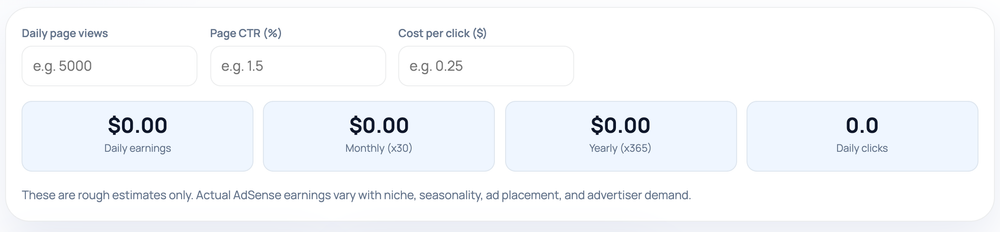
Estimate the ad revenue a page or site might earn from your own traffic, click-through, and click-value assumptions — a what-if model, not a prediction.
Pro tip: Use your real AdSense CTR and CPC from reports; defaults are rough and vary by niche and season.
You enter three inputs: daily page views, an expected click-through rate (the share of views that click an ad), and an average cost-per-click (what each click is worth). From those, the calculator projects daily clicks, daily earnings, and the monthly and yearly figures so you can see how the assumptions compound over time.
Nothing is fetched from an account and nothing is stored. The tool simply does the arithmetic on the values you type, updating the moment you change any field, which makes it quick to test a range of scenarios side by side.
Revenue is estimated as page views × CTR × CPC. The calculator first works out daily clicks as views × (CTR ÷ 100), then multiplies by CPC for daily earnings. For example, 1,000 daily views at a 2% CTR and $0.30 CPC works out to 1,000 × 0.02 = 20 clicks, then 20 × $0.30 = $6 per day.
It then projects the daily figure forward: monthly is daily × 30 and yearly is daily × 365. So $6 a day becomes about $180 a month and roughly $2,190 a year. Note that the month uses a flat 30 days rather than the calendar's 28–31, so a real calendar month can come out slightly higher or lower.
If you prefer to think in RPM (revenue per thousand views), that is just CTR × CPC × 1,000 — the same estimate expressed per thousand impressions instead of per click.
The most frequent error is entering CTR as a decimal (0.02) when the field expects a percentage (2). A 2 means two percent; typing 0.02 models two-hundredths of a percent and will under-state earnings by a hundredfold. Equally, copying an industry's headline CPC from an article rather than your own niche tends to inflate the result, because CPC varies enormously between topics like finance and hobby content.
Another trap is treating the yearly figure as guaranteed income. It is daily earnings multiplied out under the assumption that today's numbers hold every single day for a year, which rarely happens in practice.
Real earnings depend on niche, advertiser demand, seasonality, ad placement, viewability, invalid-traffic filtering, and policy factors that no calculator can know in advance. Your CTR and CPC can swing widely month to month, and AdSense reports revenue net of its own share, so even a perfect input set is only an approximation. Use this to compare scenarios and understand the maths, not as a promise of income.
Everything runs locally in your browser. The figures you enter are not sent anywhere, saved, or linked to any Google account.
Input: 1,000 views/day · 2% CTR · $0.30 CPC
Output: 20 clicks/day · ≈ $6/day · ~$180/month · ~$2,190/year
Change one input to instantly see the effect on the totals.
Input: 400 views/day · 1.5% CTR · $1.20 CPC
Output: 6 clicks/day · ≈ $7.20/day · ~$216/month
A richer CPC can beat raw traffic — the reason niche matters.
Input: 2% CTR · $0.30 CPC
Output: RPM = 0.02 × 0.30 × 1,000 = $6 per 1,000 views
RPM restates the same estimate per thousand impressions.
Not necessarily. It is an estimate from the numbers you enter; real AdSense revenue depends on niche, demand, placement, and policy factors no calculator can predict.
Use figures from your own analytics or AdSense reports if you have them. Otherwise, model a range so you see best- and worst-case outcomes.
Type it as a percentage, so 2 for two percent. The tool divides by 100 internally; entering 0.02 would model a hundredth of that.
It multiplies daily earnings by a flat 30 for simplicity. A real calendar month of 28 to 31 days will be slightly lower or higher.
Revenue per thousand impressions. It equals CTR × CPC × 1,000 and is another way to express the same estimate, useful for comparing pages.
No. The calculation runs entirely in your browser on the values you type; nothing is uploaded, stored, or connected to an account.
Our editorial and data-source notes explain how each check works and where estimates come from.